
Staying Connected in Iceland: Your Essential Guide to Seamless Travel
In today’s fast-paced world, being connected while exploring new destinations has evolved from a luxury to a fundamental aspect of travel. For me, as a food and travel blogger, it’s particularly vital – but not for the reasons you might think. While some travelers passionately advocate for a complete digital detox, my partner Jason and I fall into the camp that values staying connected on vacation. Rest assured, this doesn’t mean we’re glued to work emails or business calls; my “out of office” reply is always active, and professional matters are strictly off-limits until my return. Our desire for connectivity stems from practicalities, safety, and the sheer joy of instantly sharing the awe-inspiring moments of our journeys.
If you’re planning a trip to the enchanting landscapes of Iceland and wish to remain effortlessly online, navigate with ease, and share your adventures in real-time without breaking the bank, then this detailed guide is crafted just for you.
Why Reliable Connectivity is Crucial for Your Icelandic Adventure
Iceland, a land of fire and ice, offers unparalleled natural beauty and exhilarating experiences. From the bustling streets of Reykjavik to the remote wonders of the Ring Road, staying connected greatly enhances your travel experience and provides peace of mind. Here’s why a reliable internet connection is indispensable:
- Effortless Navigation: Whether you’re driving through vast, unpopulated areas, tracking your route along the scenic coast, or finding a hidden hot spring, real-time GPS and map applications are invaluable. While offline maps are useful, live traffic updates and dynamic route adjustments require active data.
- Enhanced Safety: Iceland’s weather can be notoriously unpredictable, and some of its most spectacular sights are in remote locations. A data connection allows you to check rapidly changing weather forecasts, access emergency services, or communicate your itinerary and location to others, significantly boosting your safety.
- On-the-Go Research and Bookings: Discovering the best local eateries, researching spontaneous excursions, or booking last-minute accommodations and tours becomes incredibly simple with instant internet access. This flexibility can transform your trip.
- Instant Sharing and Blogging: For travel enthusiasts and bloggers, capturing and sharing the breathtaking beauty of Iceland – from the Northern Lights to cascading waterfalls – in real-time is part of the magic. High-quality photos and videos can be uploaded instantly, keeping friends, family, and followers engaged.
- Seamless Communication: Staying in touch with your travel companions, coordinating meet-ups, or simply chatting with loved ones back home is made easy and affordable using messaging apps and VoIP services like WhatsApp or Viber.
The Unlocked Phone Advantage: Your Gateway to Affordable Global Data
Before you even consider purchasing a local SIM card in Iceland, there’s one non-negotiable prerequisite: your mobile phone must be unlocked. This means your wireless carrier has removed any network restrictions, allowing your device to accept a SIM card from any provider worldwide. Without an unlocked phone, attempting to use a local SIM card will result in no service, rendering your efforts and purchase futile.
In my earlier travels, before I had an unlocked device, I relied on solutions like a TEP Wireless device. While these portable Wi-Fi hotspots provided connectivity, they were significantly more expensive and less convenient than simply popping in a local SIM. An unlocked phone offers unparalleled flexibility, cost-effectiveness, and ease of use for international travel, making it the preferred method for the savvy traveler.
How to Determine if Your Phone is Unlocked
If you’re unsure about your phone’s status, here are a few simple ways to check:
- Swap SIM Cards: Borrow a SIM card from a different network provider than your current one (e.g., if you’re on AT&T, try a T-Mobile SIM). If your phone successfully connects to the new network and allows you to make calls or access data, it’s likely unlocked.
- Contact Your Carrier: The most definitive way is to directly contact your current mobile carrier. They can confirm your phone’s unlock status and, if eligible, guide you through the unlocking process. Most carriers will unlock a device once it’s fully paid off or after a specified contract period has ended.
- Check Phone Settings (iOS): On iPhones, you can sometimes check under Settings > General > About > Carrier Lock. If it says “No SIM restrictions,” your phone is unlocked.
Ensuring your phone is unlocked well before your departure will save you time, money, and potential frustration upon arrival.
The Pitfalls of International Roaming Plans: Why Local is Always Better
One of the most common and expensive mistakes travelers make is relying on their home country’s international roaming plans. Let me be unequivocally clear: these plans are typically a monumental rip-off. They are designed to be overpriced, offering minimal data allowances at inflated rates, and often come with hidden fees that lead to shockingly high bills upon your return. My own disastrous experience with an international plan in Turks and Caicos, which provided abysmal signal and agonizingly slow speeds for a hefty charge, served as a powerful lesson.
Rather than falling prey to these costly and inefficient options, the intelligent and budget-friendly alternative is to invest in a local SIM card at your destination. This strategy guarantees you reliable, high-speed data at a fraction of the cost, ensuring you receive the best value and performance throughout your trip.
Choosing Your Icelandic Mobile Provider: Simmin, The Network Leader
When selecting a mobile carrier in Iceland, Simmin consistently emerges as the leading choice. Boasting the largest network and most extensive coverage across the entire island, Simmin offers unparalleled reliability, particularly vital when venturing into Iceland’s more remote regions. While other providers like Vodafone Iceland also operate, Simmin’s robust infrastructure makes it the top recommendation for tourists seeking dependable connectivity.
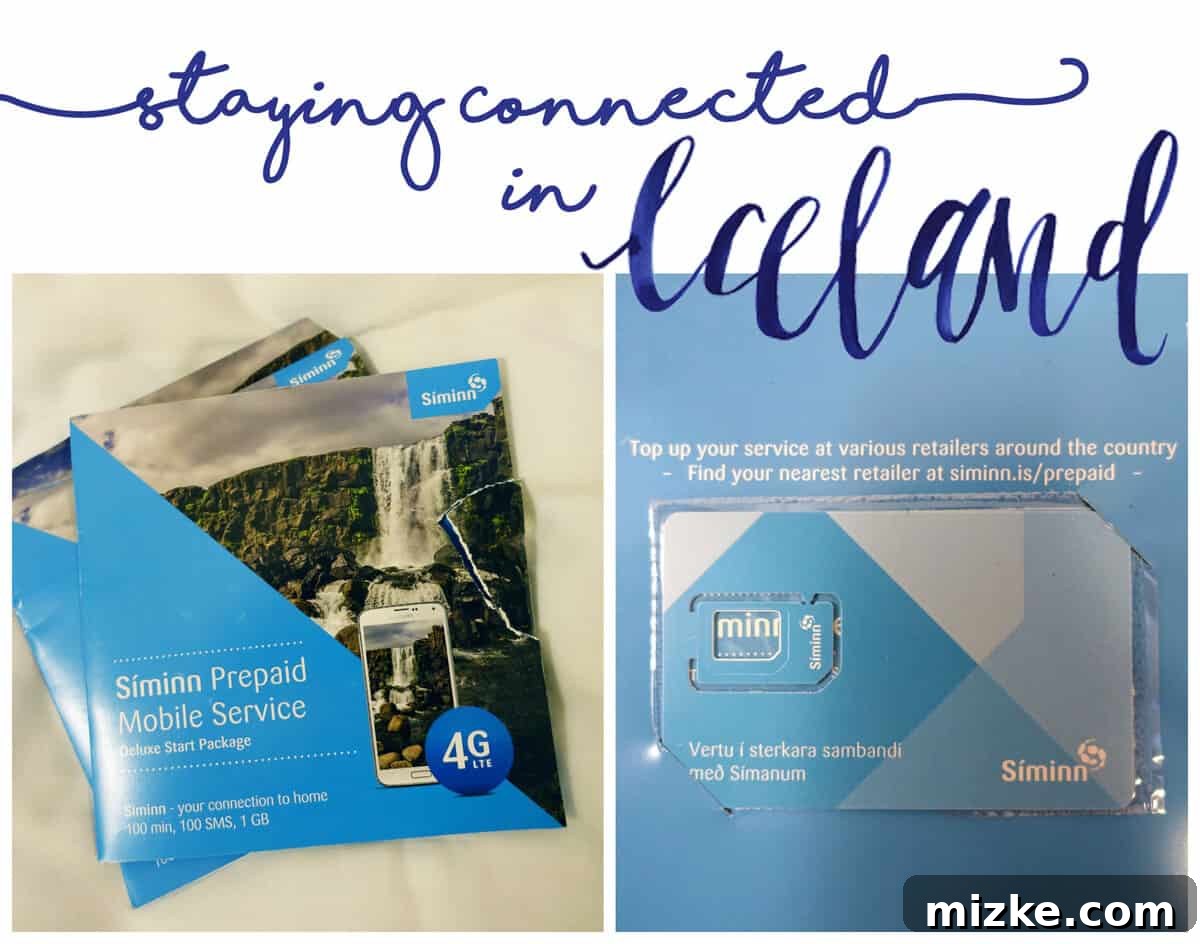
Acquiring a Simmin SIM card is remarkably straightforward, especially if you opt to do so immediately upon landing at Keflavik International Airport (KEF).
Step-by-Step Guide: Purchasing Your Simmin SIM at Keflavik Airport (KEF)
The process of obtaining your Simmin SIM card at KEF is designed for maximum traveler convenience. Follow these straightforward steps:
- Collect Your Luggage: After disembarking and clearing immigration and customs, proceed to the baggage claim area to retrieve your luggage.
- Head to the Arrivals Hall: Once you have your bags, make your way out of the restricted baggage claim area and into the main public arrivals hall. You might encounter various duty-free shops or initial signs for mobile companies within the baggage area; it’s best to bypass these and continue to the main hall.
- Locate the 24/7 Convenience Store: Upon entering the main arrivals hall, direct your gaze to your right. You will spot a prominent 24/7 convenience store (often branded as ’10-11′ or similar, but easily recognizable as the main shop). This is your destination.
- Request a Simmin SIM Card: Approach the cashier and simply ask for a “Simmin SIM card.” The staff are highly experienced with this request from international visitors and will guide you to the correct prepaid packages. They typically offer various options, though focusing on data-only plans is often the most cost-effective.
- Complete Your Purchase: Pay for your chosen SIM package, usually with a credit or debit card, and you’ll receive a small packet containing your new Icelandic SIM. The transaction is quick, efficient, and ensures you’re set up for connectivity from the moment you leave the airport.
There’s no need for pre-ordering or searching for dedicated mobile carrier stores; the convenience store provides an accessible and efficient solution right where you need it.
Activating Your Simmin SIM Card: A Seamless Setup Process
With your Simmin SIM card in hand, the next crucial step is to install and activate it in your phone. Most contemporary smartphones utilize a nano-SIM format, and the Simmin package will contain a versatile multi-cut SIM designed to fit all standard, micro, or nano slots.
- Open Your SIM Tray: Use the small SIM ejector tool (usually included with your phone or often provided in the Simmin package) to open your phone’s SIM tray. If you lack a specific tool, a straightened paperclip or earring can serve as an effective substitute.
- Swap Your SIMs: Carefully remove your existing SIM card. It is imperative that you do NOT discard your original SIM! You will require it when you return to your home country. Store it securely, perhaps by taping it inside the Simmin SIM packaging or placing it in a dedicated slot in your wallet. Insert the new Simmin SIM card into the tray, ensuring proper orientation, and then gently slide the tray back into your phone.
- Automatic Network Connection: For an unlocked device, your phone should almost immediately detect the new network and connect to Simmin. You should observe “Simmin” or “ICE” (indicating Iceland) appearing in your phone’s network status bar, signifying successful connection.
- Troubleshooting for Data Issues: While activation is typically instantaneous, minor glitches can occur. My partner, Jason, once encountered a situation where his phone indicated network service but couldn’t access data. The straightforward solution involved resetting his network settings.
- For iOS devices: Navigate to Settings > General > Transfer or Reset iPhone > Reset > Reset Network Settings.
- For Android devices: Go to Settings > System > Reset options > Reset Wi-Fi, mobile & Bluetooth (or a similar path, depending on your Android version).
Crucial Note: Only perform a network settings reset. Do NOT initiate a factory reset or wipe your entire phone’s data. After resetting the network settings, restart your phone, and it should establish a proper data connection.
Once your Simmin SIM is successfully installed and activated, you are just one step away from fully leveraging Iceland’s robust mobile network.
Maximizing Your Connectivity: Topping Up Data and Smart Usage Strategies
With your Simmin SIM card now active, the final step is to add data to your account. Simmin makes this process incredibly user-friendly via their online portal, which can be accessed through your phone’s browser.
- Access Simmin’s Website: Open your phone’s web browser and navigate to Simmin’s website. Ensure you select the English language option, which is usually prominently displayed (often at the top right or bottom of the page).
- Select a Data Plan: Locate the section dedicated to topping up prepaid cards or purchasing data packages. Look for an option clearly labeled “Data Add-ons,” “Internet Packages,” or a section indicated by a noticeable “PINK data globe” icon, as this often signifies their primary data offerings.
- Choose Your Data Amount: For most travelers, a 5GB data plan is an excellent starting point, providing ample data for navigation, social media updates, messaging, and casual browsing for a week or even longer. This plan typically costs around $18 USD, representing outstanding value compared to exorbitant international roaming charges.
- Voice and SMS Considerations: You generally won’t need to purchase separate voice minutes or SMS bundles. With a strong data connection, you can make free voice and video calls and send messages effortlessly using popular Voice over IP (VoIP) applications like WhatsApp, Viber, Skype, or Apple’s FaceTime.
- Complete Payment: Follow the on-screen prompts to finalize your data purchase using a credit or debit card. Your chosen data package should become active almost instantaneously, allowing you to begin using the internet immediately.
Intelligent Data Management Tips for Your Icelandic Journey
To ensure your data plan lasts for the duration of your trip and to avoid unexpected depletion, consider these smart usage strategies:
- Pre-Download Offline Maps: Before setting out each day, download offline maps for your planned routes and destinations using apps like Google Maps or Maps.me. This significantly reduces your reliance on live data for navigation.
- Leverage Free Wi-Fi: Take advantage of complimentary Wi-Fi available at hotels, guesthouses, cafes, and even some remote service stations. Use these opportunities to download larger files, upload high-resolution photos and videos, or stream content.
- Monitor Your Data Usage: Regularly check your phone’s built-in data usage monitor (found under Settings > Cellular/Mobile Data on iOS, or Settings > Network & Internet > Data Usage on Android) to keep track of your consumption and identify any data-hungry apps.
- Optimize App Settings: Configure data-intensive applications like Instagram, Facebook, and YouTube to consume less data by disabling auto-play for videos, reducing video quality, or limiting background data refresh.
- Disable Background App Refresh: Turn off background app refresh for non-essential applications to prevent them from consuming data in the background when not actively in use.
Conclusion: Seamlessly Connected for an Unforgettable Icelandic Experience
Navigating the digital landscape in Iceland doesn’t have to be complicated or expensive. By making the smart choice of using an unlocked phone and following this comprehensive guide to acquiring and activating a local Simmin SIM card, you unlock access to reliable, high-speed data that will enrich every facet of your journey. From ensuring safe navigation through awe-inspiring landscapes to instantly sharing your incredible experiences with the world, a local SIM provides the essential freedom and peace of mind needed to fully immerse yourself in the unparalleled magic of Iceland.
Embrace the convenience, sidestep exorbitant roaming charges, and ensure your Icelandic adventure is as connected, informed, and memorable as possible. Happy travels and enjoy every byte of your incredible trip!